
QR Code Nameplates for Industrial Equipment: A Practical Guide
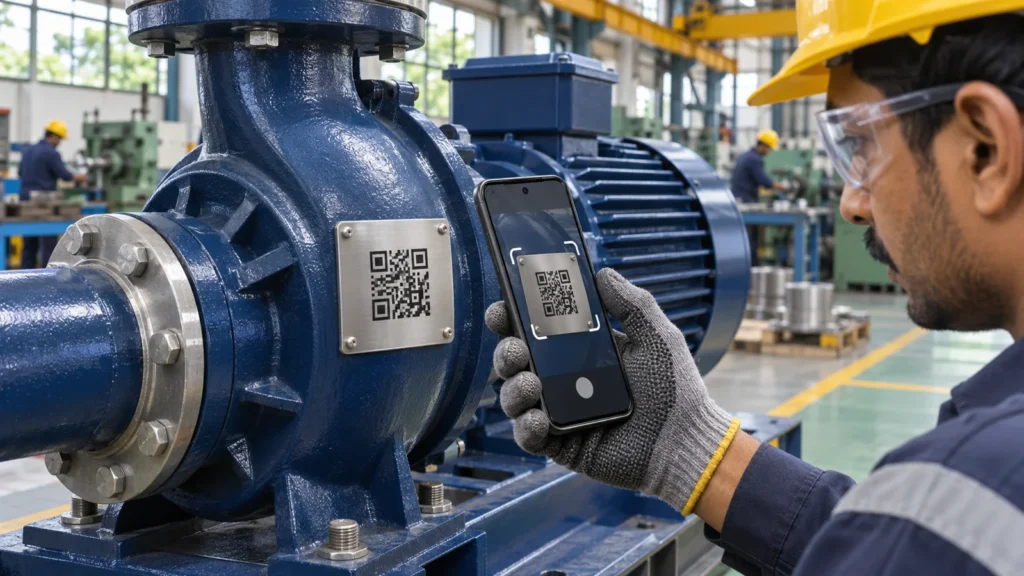
QR code nameplates give a pump, electrical panel or machine a permanent route to its digital records. A technician can scan the plate on the installed unit and open the relevant operating manual, drawing or test report on a phone. For a manufacturer, the design challenge is keeping that link useful long after dispatch.
What belongs on a QR code nameplate?
Keep the essential human-readable information on the physical plate. On a pump, that can include the model, serial number, rated duty and manufacturer. Show the serial number beside the code so a dealer can still identify the unit if the camera cannot scan the plate. Check the marking requirements that apply to your equipment before changing a nameplate layout.
Use the QR code to open a stable record for the unit. A customer-facing record can include its model and specifications, approved drawings, installation instructions and applicable certificates. Keep internal inspection notes, order prices and personal contact details behind appropriate access controls. A QR code on installed equipment may be scanned by anyone with physical access.
How to run a pilot on one product line
1. Choose an identifier. Start with a product line whose serial numbers are already assigned and checked. Agree on the system that owns the serial number, and reject duplicates before generating the label.
2. Match the plate to its environment. Test the label or plate material for the mounting surface and expected conditions, including cleaning, abrasion and glare. Scan a production sample with a few different phones under typical shop-floor and field lighting.
3. Link drawings and reports to the right unit. Attach serial-specific test results to the unit record, and model-level manuals to the model. Show a document revision or issue date so service teams can distinguish the current file from earlier copies.
4. Check the result before dispatch. Scan the fitted label and verify that the serial number on screen matches the physical plate and dispatch record. Ask a dealer or technician to find one manual and one test report without help. Record any errors before expanding the pilot.
Where GS1 Digital Link fits
GS1 India’s Digital Link guide explains how standardized identifiers can be encoded in web links carried by QR codes. GS1’s retail 2D barcode transition is a separate initiative. For industrial nameplates, check what your customers and trading partners require before choosing an identifier scheme.
See a unit record before choosing a label
Take a look at Velotrace QR Trace and the sample scan for a pump, panel or machine. For a pilot, bring one representative nameplate, an approved manual and a test report to the Velotrace team. Those three items are enough to map the first scan and identify which records should be visible to the customer.